Contents (13 sections)
In recent years, the concept of smart homes has evolved significantly, transforming the way we interact with our living spaces. Smart home devices encompass a variety of gadgets designed to improve our lifestyles by enhancing convenience, security, and energy efficiency. This guide aims to demystify these devices, explaining their functions and benefits while providing actionable insights for integrating them into your home.
What Are Smart Home Devices?
Smart home devices are internet-connected devices that allow users to control aspects of their home remotely or automatically without manual operation. This includes a wide range of products, from smart bulbs that you can control via an app to advanced security systems that alert you of unusual activity when you’re away. According to a study by Statista in 2025, the smart home market was valued at approximately £78 billion and is projected to grow as consumer awareness of smart technology increases.
These devices utilise various communication protocols such as Wi-Fi, Bluetooth, Zigbee, and Z-Wave, enabling seamless interaction between gadgets and home networks. The appeal of smart home devices lies in their ability to automate routine tasks, improve energy efficiency, and enhance security features, thereby offering peace of mind and comfort, particularly for busy households.
How to Set Up Smart Home Devices
Setting up smart home devices can seem daunting, but the process often involves a few straightforward steps. Here’s a simplified guide:
Step 1: Choose a Smart Home Ecosystem
Begin by deciding on an ecosystem that aligns with your needs. Amazon Alexa, Google Home, and Apple HomeKit are popular platforms that offer extensive compatibility with a wide range of devices.
Step 2: Start Small
For beginners, it’s advisable to start with a couple of devices, such as smart bulbs or plugs. This allows you to familiarize yourself with the smart home technology before expanding.
Step 3: Installation
Most smart devices can be installed without professional help. For items like smart plugs, simply plug them into an outlet, download the corresponding app, and follow installation prompts.
Step 4: Connect to Wi-Fi
Ensure your devices are connected to your home’s Wi-Fi network. This allows them to communicate with each other and be controlled via your smartphone.
Step 5: Customise Settings
Finally, update your settings to suit your lifestyle. You can create routines, such as having smart lights turn on at sunset or having doors lock automatically at night.
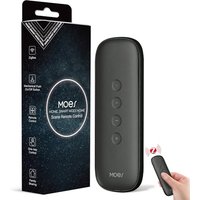
MOES Zigbee Smart Switch, 12 Scene Switches without Installation (MOES ZigBee Hub Required), One-Click Control for Tuya Devices, Zigbee Button Smart H
Amazon Sellers Programme (UK)

Comparison of Popular Smart Home Devices
To help you choose the right devices for your home, here’s a comparison between popular categories:
| Device Type | Example Features | Pros | Cons |
|---|---|---|---|
| Smart Speakers | Voice control, music streaming | Hands-free control | Limited sound quality |
| Smart Lighting | Adjustable brightness, remote access | Energy efficiency, mood lighting | Installation complexity |
| Smart Thermostats | Temperature scheduling, learning behaviour | Energy savings, comfort | High initial cost |
| Smart Security | Remote monitoring, alerts | Enhanced security, peace of mind | Subscription costs |
Expert Insights
> 💡 Expert Opinion: According to Consumer Reports, the shift toward smart homes represents not only a technological evolution but also a cultural change regarding how we view energy consumption and home management. The convenience, safety, and efficiency that smart home technology provides cannot be overstated, making it an essential consideration for modern homeowners.
📺 For Further Exploration:
*Watch the video titled
📺 Pour aller plus loin : smart home devices setup guide sur YouTube
À lire aussi

MOES Scene Switch, ZigBee Wireless 12 Scene, Mechanical Push Button Battery Powered, Smart Home Automation Scenario Switch for Tuya Smart Devices, Req
Amazon Sellers Programme (UK)

MOES Scene Switch, ZigBee Wireless 12 Scene, Mechanical Push Button Battery Powered, Smart Home Automation Scenario Switch for Tuya Smart Devices, Req
Amazon Sellers Programme (UK)

MOES Scene Switch, ZigBee Wireless 12 Scene, Mechanical Push Button Battery Powered, Smart Home Automation Scenario Switch for Tuya Smart Devices, Req
Amazon Sellers Programme (UK)
Recommended products
Selected by our experts

MOES Scene Switch, ZigBee Wireless 12 Scene, Mechanical Push Button Battery Powered, Smart Home Automation Scenario Switch for Tuya Smart Devices, Req
Amazon Sellers Programme (UK)

Nedis Smartlife Zigbee Garage Door Switch, Compact Built-In Module for Remote Control and Voice Commands, Compatible with Amazon Alexa and Google Home
Boxed2me

Lenovo V14 G4 ABP AMD Ryzen 5 7430U Laptop 14" 8GB RAM 512 GB SSD Windows 11 Home Laptop
box.co.uk

Smart app wifi Infrared ir remote control air conditioner home devices universal remote controller
Alibaba UK