Contents (10 sections)
In today’s fast-paced world, smart home automation devices offer unrivalled convenience and control over our living spaces. From managing daily tasks to enhancing security, these devices transform traditional homes into smart havens. But what does it truly mean to automate your home? This guide dives deep into the essential devices that make up a fully automated home, helping you understand their functionalities and benefits.
What Are Smart Home Automation Devices?
Smart home automation devices are interconnected gadgets that allow you to control various home functions through a smartphone, tablet, or voice assistant. This technology enables users to monitor and manage their home environment remotely, improving not only convenience but also security and energy efficiency. Common categories of smart home devices include smart lighting, security systems, thermostats, and appliances. According to Statista, the smart home market is expected to reach USD 187.35 billion by 2026, reflecting the growing demand for smarter technologies in household settings.
How to Choose the Right Smart Home Devices
When selecting smart home automation devices, consider the following criteria:
- Compatibility: Ensure that your devices work with existing platforms like Amazon Alexa, Google Assistant, or Apple HomeKit.
- Usability: Look for user-friendly interfaces that don’t require advanced technical skills.
- Security: Choose devices from reputable brands to ensure robust security features.
- Energy Efficiency: Opt for devices that help to reduce energy consumption and offer real-time usage insights.
Step-by-Step Guide to Setting Up Smart Home Devices
Setting up smart home devices can be straightforward if you follow these steps:
- Select Your Devices: Determine which areas of your home you want to automate. Popular choices include lighting, security cameras, and smart thermostats.
- Install the Devices: Follow the manufacturer's instructions for installation, which usually involve connecting the devices to your home Wi-Fi network.
- Download the App: Most smart devices come with an accompanying app to control them seamlessly from your smartphone.
- Create Routines: Automate your routines by setting schedules or using voice commands. For instance, you can programme your lights to turn on at sunset.
- Integrate with Other Devices: Link your devices together for added functionality—for instance, connecting your thermostat with your smart blinds.


Trebs SmartLife Humidifier Cold Water Evaporation, Child Safe ideal for Nursery/Bedrooms, 4.5L Timer, Low Noise, App controlled - White
Boxed2me

Comparative Overview of Smart Home Devices
Understanding the differences between popular smart home devices can aid in decision-making. Here’s a comparative look at three types of devices.
| Device Type | Features | Pros | Cons |
|---|---|---|---|
| Smart Lights | Remote control, scheduling | Energy-efficient, flexible | Requires Wi-Fi access |
| Smart Thermostat | Temperature control, learning | Energy savings, automation | Initial cost can be high |
| Smart Security Camera | Real-time monitoring, alerts | Enhanced security, easy installation | Privacy concerns |
Expert Opinions on Smart Home Devices
> 💡 Expert Opinion: As a professional in smart home technology, I have observed a notable shift in lifestyle among users who adopt these devices. Most report that their automation not only saves time but also enhances comfort. Users often appreciate the peace of mind provided by remote monitoring capabilities, especially through security cameras and smart locks. The integration of systems allows for seamless operation and increased energy efficiency.
FAQ on Smart Home Automation Devices
Q1: What is the first device I should buy for my smart home?
A1: Start with a smart speaker, as it serves as a hub to control other devices.
Q2: Are smart home devices secure?
A2: While risks exist, using strong passwords, enabling two-factor authentication, and updating firmware can greatly enhance security.
Q3: Can I control smart devices without an internet connection?
A3: Some devices can operate offline, but full functionality typically requires an internet connection for remote access.
Q4: How much can I save on energy bills?
A4: Many users report savings upwards of 20% on their energy bills by using smart thermostats and energy-efficient lighting.
Checklist for Smart Home Purchasing
- [ ] Determine compatibility with existing smart home setups
- [ ] Research user reviews and product quality
- [ ] Assess security features and updates
- [ ] Consider energy usage and efficiency ratings
- [ ] Plan your budget and potential energy savings
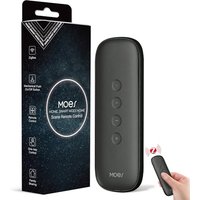
MOES Zigbee Smart Switch, 12 Scene Switches without Installation (MOES ZigBee Hub Required), One-Click Control for Tuya Devices, Zigbee Button Smart H
Amazon Sellers Programme (UK)

TP-Link EAP650-DESKTOP wireless access point 2976 Mbit/s White Power over Ethernet (PoE)
Back to the Office

Nedis SmartLife Door Window Sensor | Zigbee 3.0 | Battery Powered | Android™ / IOS | White
Boxed2me
Glossary
| Term | Definition |
|---|---|
| Smart Hub | A central device that connects and controls various smart home devices. |
| IoT (Internet of Things) | Network of physical devices connected to the internet to collect and exchange data. |
| Automation Routines | Pre-set commands that allow devices to operate without manual input based on defined criteria. |
📺 Ressource Vidéo
> 📺 Pour aller plus loin : Une analyse complète sur les meilleurs appareils d'automatisation à la maison. Recherchez sur YouTube : "Top smart home automation devices 2026".
📺 Pour aller plus loin : Top smart home automation devices 2026 sur YouTube
Recommended products
Selected by our experts