Contents (16 sections)
In the age of smart technology, optimising your smart home experience can significantly enhance your daily routine. With the right gadgets, your home can become an efficient and convenient space that caters to your individual needs. This guide provides practical steps to maximise your smart home setup, ensuring you not only embrace technology but also make it work well for you.
Step 1: Choose the Right Hub
The first step in optimising your smart home experience is selecting a central hub. Smart hubs are essential for facilitating communication between various devices. Look for a hub that is compatible with the majority of your gadgets, including lights, thermostats, and security systems. A reliable choice will support protocols like Zigbee and Z-Wave, offering flexibility and a range of product options.
Benefits of a Central Hub
Using a central hub allows you to control all your devices from a single app. This convenience not only simplifies your interactions but also allows you to create routines that can automate tasks. For instance, you can set a routine for your lights to turn on at sunset, enhancing security and energy efficiency.
💡 Expert Tip: Ensure your hub receives regular updates, keeping your connections secure and enhancing performance.
Step 2: Prioritise Energy Efficiency
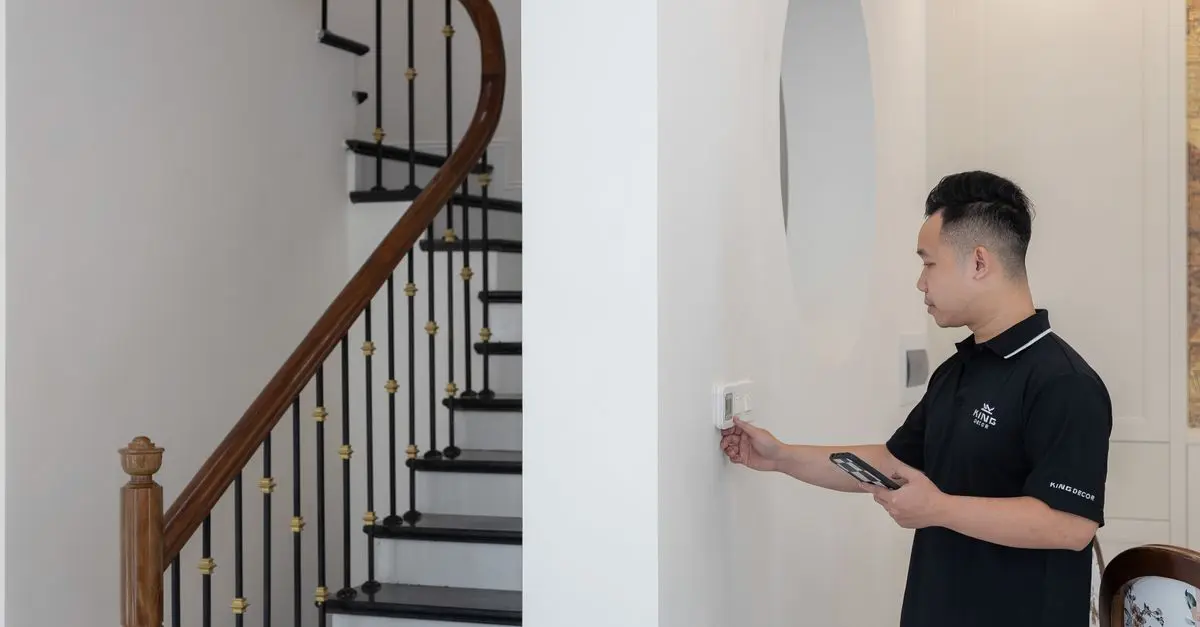
In 2026, energy-efficient gadgets are not just a trend; they are a necessity for sustainability. Integrating smart thermostats, energy-saving bulbs, and smart plugs into your routine can drastically reduce energy consumption. For example, smart thermostats can adapt to your schedule, ensuring you’re not heating or cooling an empty house.
Smart Thermostats in Action
A benchmark study by UFC-Que Choisir shows that households using smart thermostats have seen up to a 30% decrease in energy bills. Moreover, many devices offer remote access, allowing you to adjust settings from anywhere, making it easier to save energy even when you’re not at home.


Samsung Galaxy S26 16 cm (6.3") Dual SIM Android 16.0 5G USB Type-C 12 GB 256 GB 4300 mAh Blue
Back to the Office

Samsung Galaxy S26 16 cm (6.3") Dual SIM Android 16.0 5G USB Type-C 12 GB 512 GB 4300 mAh Blue
Back to the Office
Step 3: Enhance Security
Security is a critical aspect of any smart home. Integrating smart locks, garage door openers, and security cameras can help you monitor your property in real-time. Ensure that your devices send alerts directly to your smartphone, providing you with immediate updates on any activities around your home.
Choosing Security Gadgets
Consider products that feature two-factor authentication and encryption for enhanced security. This protects your data and gives you peace of mind. For instance, smart cameras capable of facial recognition can distinguish between family members and strangers, lowering the chances of false alarms.
Comparatif des dispositifs de sécurité
| Critère | Option A | Option B | Option C | Verdict |
|---|---|---|---|---|
| Coût | £150 | £200 | £180 | Option A est le meilleur rapport qualité-prix |
| Fonctionnalités | Alertes en temps réel | Reconnaissance faciale | Vision nocturne | Option B est la plus avancée |
| Facilité d'utilisation | Application conviviale | Nécessite une installation pro | Simple à installer | Toutes sont accessibles |
| Compatibilité | Avec la plupart des hubs | Fonctionne uniquement avec un hub spécifique | Compatible avec plusieurs systèmes | Option C est la plus flexible |
Step 4: Automate Regular Tasks
Automation is key to fully optimising your smart home experience. Schedule recurring tasks such as watering plants or managing indoor climates. Use smart plugs and timers to manage devices that consume energy when not in use.
Creating Automations
Identify tasks that you frequently perform and look for ways to automate them. For instance, if you struggle with remembering to turn off the lights, set up a schedule that matches your routine. Many platforms now allow custom commands to trigger several devices at once, such as locking doors and turning off all lights when you go to bed.
Step 5: Stay Updated with Latest Technology
Technology continues to evolve, bringing new gadgets and functionalities into the smart home ecosystem. Regularly check for updates and seek user feedback on the latest products to ensure you are always utilizing devices that are reliable and beneficial.
Importance of Updates
Technology can advance quickly, and keeping your system updated ensures compatibility with new devices. Many smart gadgets come with firmware updates that help fix bugs and enhance performance. By staying informed about the latest trends, you can successfully optimise your home for efficiency and convenience.
📺 Pour aller plus loin : A Beginner's Guide to Smart Home Devices, a comprehensive analysis of various products available. Search on YouTube: "smart home setup guide 2026".
Checklist avant achat
- [ ] Vérifier le type de hub compatible avec mes dispositifs
- [ ] Comparer les options de sécurité disponibles
- [ ] S'assurer des mises à jour régulières des appareils
- [ ] Etablir une routine pour l'automatisation des tâches
- [ ] Consulter les avis des utilisateurs avant d'acheter

Samsung Galaxy S26 16 cm (6.3") Dual SIM Android 16.0 5G USB Type-C 12 GB 256 GB 4300 mAh Black
Back to the Office

Samsung Galaxy S26 16 cm (6.3") Dual SIM Android 16.0 5G USB Type-C 12 GB 256 GB 4300 mAh Violet
Back to the Office

Samsung Galaxy S26 16 cm (6.3") Dual SIM Android 16.0 5G USB Type-C 12 GB 512 GB 4300 mAh Black
Back to the Office
Glossaire
| Terme | Définition |
|---|---|
| Hub Smart | Dispositif central permettant de contrôler plusieurs appareils intelligents à partir d'une seule interface. |
| Automatisation | Processus de configuration des appareils intelligents pour effectuer des tâches sans intervention manuelle. |
| IoT (Internet des Objets) | Réseau d'appareils connectés qui peuvent communiquer et échanger des données via Internet. |
---
📺 Pour aller plus loin : how to set up a smart home 2026 sur YouTube
Recommended products
Selected by our experts

Samsung Galaxy S26+ 17 cm (6.7") Dual SIM Android 16.0 5G USB Type-C 12 GB 256 GB 4900 mAh Blue
Back to the Office

Samsung Galaxy S26+ 17 cm (6.7") Dual SIM Android 16.0 5G USB Type-C 12 GB 256 GB 4900 mAh White
Back to the Office

Samsung Galaxy S26 16 cm (6.3") Dual SIM Android 16.0 5G USB Type-C 12 GB 512 GB 4300 mAh White
Back to the Office

Samsung Galaxy S26+ 17 cm (6.7") Dual SIM Android 16.0 5G USB Type-C 12 GB 512 GB 4900 mAh White
Back to the Office

Samsung Galaxy S26 16 cm (6.3") Dual SIM Android 16.0 5G USB Type-C 12 GB 256 GB 4300 mAh White
Back to the Office

Samsung Galaxy S26+ 17 cm (6.7") Dual SIM Android 16.0 5G USB Type-C 12 GB 512 GB 4900 mAh Violet
Back to the Office