Contents (14 sections)
In recent years, the concept of a smart home ecosystem has transitioned from a futuristic vision to a tangible reality. A smart home ecosystem refers to a network of interconnected devices that communicate with one another and can be controlled remotely, offering users convenience, security, and energy efficiency. In 2026, the advancement of technology has made it easier than ever to integrate various devices, whether they are smart bulbs, thermostats, or door locks, into a cohesive system. This guide will guide you through the process of setting up your home for the ultimate convenience.
Step 1: Identify Your Needs and Goals
Before diving into the world of smart home technology, it's essential to assess what you want to achieve with your ecosystem. Are you looking to improve energy efficiency, enhance security, or simply enjoy the convenience of controlling your devices from anywhere?
Tips for Identifying Needs:
- Energy Efficiency: If lowering energy bills is your priority, focus on smart thermostats and energy monitoring devices.
- Security: For enhanced security, consider smart doorbells, cameras, and locks.
- Home Comfort: For overall comfort, look into lighting systems and thermostats that can adjust automatically.
Create a list of necessary devices and features that align with your lifestyle. Remember to take into account your home layout and existing devices that may be compatible with new technology. A solid foundation will pave the way for a successful smart home setup.
Step 2: Select a Hub for Integration
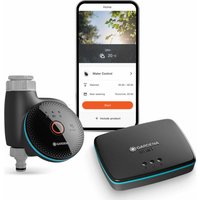
A hub acts as the central point that connects all your smart devices. Without a smart hub, devices from different brands may not communicate effectively. In 2026, there are numerous hubs available, supporting a range of protocols like Zigbee, Z-Wave, and Wi-Fi.
Considerations for Choosing a Smart Hub:
- Compatibility: Ensure the hub supports the devices you plan to use.
- User Interface: Look for hubs with user-friendly apps and interfaces.
- Future-Proofing: Choose a brand that regularly updates its software to maintain compatibility with new devices.
Examples of effective smart hubs can include those that integrate Matter-certified devices, offering seamless interconnectivity. This crucial step ensures your devices work together efficiently, providing a unified experience.

Nedis SmartLife Climate Sensor | Zigbee 3.0 | Battery Powered | Android™ / IOS | White
Boxed2me


Step 3: Start with Essential Devices
With a hub in place, it’s time to start adding devices to your ecosystem. Begin with a few essential devices that cater to your primary goals from Step 1. You might consider the following categories:
- Smart Lighting: Choose bulbs that you can control via your smartphone or voice assistant.
- Smart Plugs: These allow you to control non-smart devices remotely, perfect for lamps and other appliances.
- Smart Thermostats: These devices help in regulating your home's temperature according to your preferences, from wherever you are.
When selecting devices, ensure they are compatible with your hub and offer features that appeal to your needs. Slow integration of devices allows for easier troubleshooting and adjustment.
Step 4: Ensure Wireless Connectivity
Reliable Wi-Fi is a cornerstone of a functional smart home ecosystem. Devices must be able to communicate instantly, and weak signals can cause delays or malfunctioning. Here are some strategies to boost your connectivity:
- Router Placement: Ensure your router is centrally located in your home, away from obstructions.
- Wi-Fi Extenders: For larger homes, consider installing extenders to broaden coverage.
- Network Security: Regularly update your router’s firmware and set a strong password to protect your network from external threats.
Investing in a solid network will enhance performance and reliability, making your smart home experience seamless.
Step 5: Personalise and Automate
Now that your devices are set up and connected, it’s time to personalise your ecosystem. Automation plays a vital role in maximizing convenience; scheduled routines can help manage your home effortlessly. For instance:
- Morning Routine: Set smart lights to gradually brighten in the morning.
- Away Mode: Automate your devices to turn off when you leave home and turn on before you return.
- Energy Saving Mode: Program devices to reduce energy consumption when you are not at home, contributing to sustainability efforts.
Take advantage of the app features for your devices and hub. Many offer scenarios and automations tailored to specific times of the day, enhancing your lifestyle further.
Step 6: Regular Maintenance and Updates
To ensure longevity and optimal function, regular maintenance is essential. Smart devices often receive updates that improve functionality or add new features. Staying updated helps avoid security vulnerabilities and takes advantage of enhanced user experiences.
Maintenance Tips:
- Check for Software Updates: Regularly check your hub and devices for updates.
- Reboot Devices Periodically: This can help resolve intermittent issues.
- Review Automations: As your needs evolve, adjust or remove automations that no longer serve you.
Routine maintenance ensures a smooth-running system, ultimately benefitting your daily life dramatically.


📺 For further exploration:
Explore our video titled How to Set Up a Smart Home Ecosystem to see these steps in action. Look it up on YouTube with keywords such as 'smart home ecosystem setup 2026'.
Glossary
| Term | Definition |
|---|---|
| Smart Hub | A central device that connects various smart home devices, enabling seamless communication. |
| Automation | The use of technology to control devices automatically based on predefined conditions. |
| Zigbee | A wireless communication protocol used commonly in smart home devices for short-range data. |
Checklist before setting up your smart home
- [ ] Identify your needs and goals.
- [ ] Choose a compatible smart hub.
- [ ] Start with essential devices based on priorities.
- [ ] Ensure strong wireless connectivity.
- [ ] Personalise settings and automations.
- [ ] Regularly maintain and update devices.
📺 Pour aller plus loin : smart home ecosystem setup 2026 sur YouTube
Recommended products
Selected by our experts