Contents (12 sections)
In today's fast-paced world, the concept of a seamless smart home experience is more relevant than ever. With the rise of smart devices, homeowners are increasingly looking for ways to integrate technology that enhances their daily routines. A seamless smart home not only offers convenience but also addresses security, energy efficiency, and lifestyle needs in an integrated manner. This guide will walk you through practical steps to achieve a sophisticated yet user-friendly smart environment.
Step 1: Assess Your Needs and Objectives
Before diving into the world of smart home technology, it’s crucial to take a step back and define what you want to achieve. Do you wish to improve security, enhance energy efficiency, or perhaps automate daily tasks? Start by listing your needs and objectives. Here are some common motivations:
- Improved Security: Installing smart security cameras or door locks can provide peace of mind.
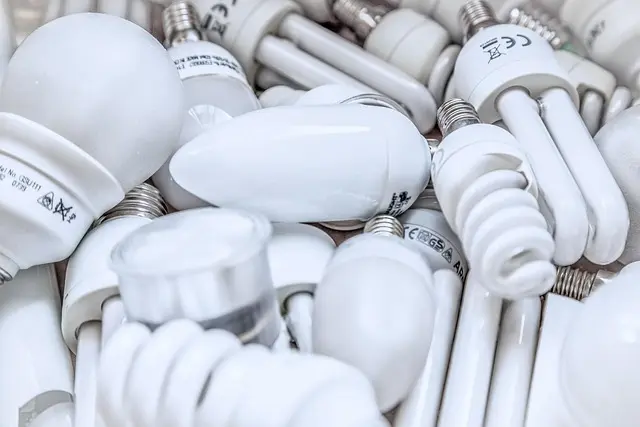
- Energy Efficiency: Smart bulbs and thermostats can help save on energy bills.
- Convenience: Automating devices like vacuum cleaners or lighting can streamline your daily routine.
According to a study by UFC-Que Choisir, over 60% of households consider energy savings as their primary reason for adopting smart home technologies. Understanding your priorities will guide your choices and help you select the right devices.
Step 2: Choose the Right Ecosystem
Once you have a clear picture of your needs, the next step is to choose a smart home ecosystem that aligns with your vision. Popular platforms include Amazon Alexa, Google Assistant, and Apple HomeKit. Each has its strengths:
| Ecosystem | Compatibility | Voice Control | User Interface | Verdict |
|---|---|---|---|---|
| Amazon Alexa | Wide range of devices | Yes | User-friendly | Excellent |
| Google Assistant | Mostly Android-centric | Yes | Intuitive | Very Good |
| Apple HomeKit | Best for Apple devices | Yes | Sleek | Good |


Step 3: Install a Robust Network
A reliable internet connection is the backbone of any smart home. Wi-Fi 6 and Mesh Systems are highly recommended for seamless connectivity throughout your property:
- Wi-Fi 6: Offers better bandwidth handling for multiple devices.
- Mesh Systems: Eliminate dead zones in larger homes, ensuring robust coverage.
According to data from Les Numériques, homes with Wi-Fi 6 can support up to four times more devices than previous technologies, making it an excellent investment for a future-proof smart home.
Recommended Products
To achieve optimal connectivity, we have selected several products suited for your needs, which will be displayed in the recommendations section.
Step 4: Start with Core Devices
Begin your smart home journey with foundational devices that serve multiple purposes. Key devices to consider include:
- Smart Lighting: Control brightness and colour via your smartphone or voice.
- Smart Thermostat: Adjust temperatures remotely and learn your preferences over time.
- Smart Security Cameras: Provide real-time surveillance and notifications.
Installing a few core devices will allow you to familiarise yourself with the ecosystem and gradually expand. Once comfortable, you can explore more sophisticated integrations such as motion sensors or voice-activated home assistants.
Step 5: Integrate and Automate
After establishing your core devices, the next focus should be on integrating and automating functions for a seamless experience. Set routines to automate tasks, for instance:
- Morning Routine: Set the lights to gradually brighten and the thermostat to adjust as you wake.
- Home Security Routine: Have lights turn on when motion is detected outside.
Automation creates an intuitive living environment that requires minimal manual intervention. User experiences generally report increased satisfaction when automation directly ties into daily routines.
Step 6: Monitor and Optimise
Once your devices are set up and automated, regularly monitor their performance. Many devices offer insights into usage patterns and energy consumption. Tools such as energy monitoring plugs can provide valuable data, helping you adjust settings to save energy and improve functionality. Regularly revisiting your setup can identify new opportunities for improvements or more optimal automation scenarios.

Nedis Smartlife Zigbee Garage Door Switch, Compact Built-In Module for Remote Control and Voice Commands, Compatible with Amazon Alexa and Google Home
Boxed2me

Lenovo V14 G4 ABP AMD Ryzen 5 7430U Laptop 14" 8GB RAM 512 GB SSD Windows 11 Home Laptop
box.co.uk

Checklist before Purchase
- [ ] Assess your needs and objectives.
- [ ] Select a compatible smart home ecosystem.
- [ ] Install a robust internet network (Wi-Fi 6/Mesh).
- [ ] Choose core devices for initial setup.
- [ ] Integrate and create automation routines.
- [ ] Monitor device performance and make adjustments.
📺 For Further Learning:
Explore the latest smart home integration tips and tricks in this YouTube video on creating a smart living space. Search for: smart home automation 2026.
Glossary
| Term | Definition |
|---|---|
| Smart Home Hub | Central unit controlling various smart devices. |
| IoT (Internet of Things) | Network of interconnected devices exchanging data. |
| Automation | Automatic control of devices without user intervention. |
Conclusion
Creating a seamless smart home experience can significantly enhance your quality of life. By following these structured steps, you’ll ensure that your smart technology is cohesive, personalised, and user-friendly. Embracing automation not only brings convenience but can also positively impact your home's energy efficiency and security. Take the first step today! Explore the recommended products below to kick-start your smart home journey.
📺 Pour aller plus loin : smart home automation 2026 sur YouTube
Recommended products
Selected by our experts