Contents (19 sections)
Smart home devices have transformed the way we interact with our living spaces, enhancing convenience, security, and energy efficiency. With the multitude of devices available on the market today, choosing the best smart home devices tailored to your needs can feel overwhelming. This guide aims to simplify that process by providing practical steps and considerations to help you make informed decisions.
1. Assess Your Needs
Before diving into product specifications and brand names, it's essential to evaluate your specific home requirements. Consider the aspects of your daily life that could benefit from automation or improved efficiency. Do you want to enhance security, save energy, or simply have more convenience?
Identify Key Areas
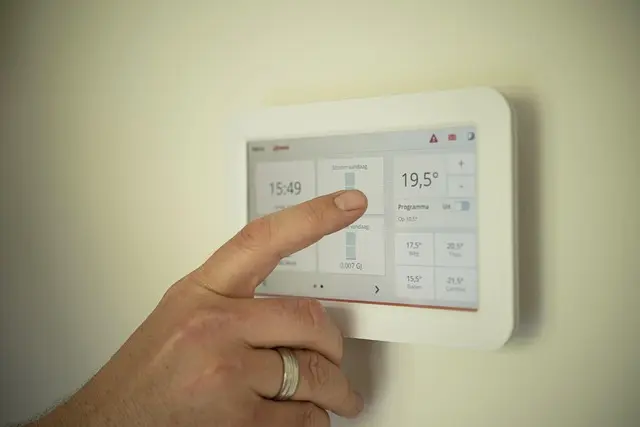
For example, if you are often out of the house, smart security cameras and door locks should be top priorities. Conversely, if you're focused on sustainability, look into smart thermostats and energy monitoring devices. By understanding your primary goals, you can narrow down which types of devices will best suit your lifestyle.
Set Your Budget
Having a clear budget can also help guide your selections. Determine how much you are willing to invest in smart home technology. Devices range from budget-friendly options to high-end products packed with features. Setting a budget before shopping prevents impulse purchases that can derail your plans.
2. Research Compatibility
As smart home ecosystems evolve, compatibility among devices remains critical. Check if the devices you’re considering work seamlessly together and with your existing platforms, such as Amazon Alexa, Google Assistant, or Apple HomeKit.
Ecosystem Compatibility
For instance, some devices may only function within a specific ecosystem. To avoid stepping into a tech quagmire, consider sticking with equipment from the same brand or devices explicitly marketed as cross-compatible. Reading recent reviews and user feedback can also provide valuable insights about longstanding compatibility issues.
Smart Hubs
In scenarios where devices from different brands are desired, investing in a smart hub might be beneficial. These hubs act as a central command unit, allowing disparate products to communicate amongst themselves, thereby enhancing your smart home’s overall efficiency.


Samsung Galaxy S26 16 cm (6.3") Dual SIM Android 16.0 5G USB Type-C 12 GB 512 GB 4300 mAh Blue
Back to the Office

Samsung Galaxy S26+ 17 cm (6.7") Dual SIM Android 16.0 5G USB Type-C 12 GB 256 GB 4900 mAh White
Back to the Office
3. Compare Features
Now that you’ve narrowed down your needs and compatibility issues, focus on comparing the features of potential devices. Understand which specifications genuinely add value to your desires and daily routines.
| Feature | Option A | Option B | Option C | Verdict |
|---|---|---|---|---|
| Smart Security Camera | 1080p, Night Vision | 4K, Motion Detection | 720p, Basic Features | Option B stands out. |
| Smart Thermostat | Wi-Fi, Programmable | Wi-Fi, Energy Reports | Bluetooth Only | Option A is versatile. |
| Smart Light Bulb | Colour Changing | White Only | Dimmable | Option A is best. |
4. Read Reviews and Testimonials
Consumer feedback is an invaluable resource in your search for the best smart home devices. Online reviews may highlight common issues, design flaws, and unexpected benefits that are not immediately apparent from product specifications.
User Insights
For example, a device that promises seamless integration might disappoint in a real-world setting. According to feedback from UFC-Que Choisir and other user-review platforms, devices' practicality often differs from marketing claims. Additionally, prioritising products that have positive feedback regarding reliability and customer support can save you from potential headaches later.
Community Forums
Participate in community discussions or forums dedicated to smart home technology. Here, you can ask questions of fellow users and learn about their experiences with specific devices, helping you make a more informed decision.
5. Look for Future-Proofing
Investing in smart home technology also involves considering the future. Technology progresses rapidly, so it’s wise to choose devices that can be upgraded or that support newer standards.
Update Options
Some devices offer firmware updates that can introduce new features or enhance security. Make sure to explore whether the manufacturer has a history of providing ongoing support for their products. This capability can significantly extend the longevity and usability of your smart home setup.
Trends and Innovations
Stay informed about upcoming trends in smart home technology. Keeping an eye on projections can help you make wiser purchasing decisions by avoiding products that may become obsolete relatively soon.
6. Installation and Ease of Use
Ultimately, after selection comes installation. Evaluate whether you feel comfortable handling DIY setups or if professional installation is warranted.
DIY vs. Professional Help
Some smart home devices are designed for easy installation, yet others require specialist knowledge. If you opt for a complicated system, ensure that the device includes comprehensive instructions or consider hiring professionals. Additionally, assess the usability of the associated mobile app or interface; a well-designed user experience can result in a more satisfying journey as you incorporate smart technology into your home.


Samsung Galaxy S26 16 cm (6.3") Dual SIM Android 16.0 5G USB Type-C 12 GB 256 GB 4300 mAh Blue
Back to the Office

Samsung Galaxy S26 16 cm (6.3") Dual SIM Android 16.0 5G USB Type-C 12 GB 256 GB 4300 mAh Black
Back to the Office
Checklist before Purchase
- [ ] Identify your primary needs for smart home devices
- [ ] Set a realistic budget for your purchases
- [ ] Check compatibility with your existing devices
- [ ] Compare features across similar options
- [ ] Read user reviews and expert feedback
- [ ] Verify future-proofing options of the devices
- [ ] Consider your DIY capabilities vs. hiring professionals
📺 Resource Video
> 📺 For further insight: 'Choosing Smart Home Devices Efficiently', a detailed analysis of how to select the ideal devices for your environment. Search on YouTube: "best smart home devices 2026".
Glossary
| Terme | Définition |
|---|---|
| Smart Hub | Un centre de commande qui connecte et contrôle plusieurs appareils de maison intelligente. |
| IoT (Internet of Things) | Réseau d'objets physiques connectés à Internet, pouvant échanger des données. |
| Automatisation | Le processus permettant à des appareils d'exécuter des actions automatiquement selon des programmes. |
---
📺 Pour aller plus loin : best smart home devices 2026 sur YouTube
Recommended products
Selected by our experts

Samsung Galaxy S26 16 cm (6.3") Dual SIM Android 16.0 5G USB Type-C 12 GB 256 GB 4300 mAh Violet
Back to the Office

Samsung Galaxy S26 16 cm (6.3") Dual SIM Android 16.0 5G USB Type-C 12 GB 512 GB 4300 mAh Black
Back to the Office

Samsung Galaxy S26+ 17 cm (6.7") Dual SIM Android 16.0 5G USB Type-C 12 GB 256 GB 4900 mAh Blue
Back to the Office

Samsung Galaxy S26 Ultra 17.5 cm (6.9") Dual SIM Android 16.0 5G USB Type-C 12 GB 512 GB 5000 mAh Black
Back to the Office

Samsung Galaxy S26 Ultra 17.5 cm (6.9") Dual SIM Android 16.0 5G USB Type-C 12 GB 256 GB 5000 mAh Violet
Back to the Office

Samsung Galaxy S26 16 cm (6.3") Dual SIM Android 16.0 5G USB Type-C 12 GB 512 GB 4300 mAh White
Back to the Office