
Contents (20 sections)
Smart home automation represents a significant shift in how we interact with our living spaces. By integrating technology into everyday tasks, homeowners can achieve enhanced control, convenience, and energy efficiency. Imagine adjusting your home environment with a simple voice command or an app on your smartphone. This guide delves into the intricacies of smart home automation, its advantages, and how to implement it in your home.
What is Smart Home Automation?
Smart home automation refers to the use of technology to control various home systems and appliances remotely. It encompasses devices and systems that can be managed via the internet, enabling homeowners to monitor and control their home environment from anywhere. According to a report by Statista, the global smart home market is projected to reach over $175 billion by 2026, highlighting the burgeoning interest in this technology.
The systems can include smart lighting, security cameras, heating and cooling systems, and even household appliances like refrigerators and ovens. These devices often connect via a central hub or directly to the internet, allowing for seamless communication and automation. For example, a smart thermostat learns your habits and preferences, adjusting the temperature automatically to save energy when you are away. This degree of automation not only enhances convenience but also contributes to significant energy savings over time.
How to Implement Smart Home Automation
Implementing smart home automation involves several steps to ensure a seamless integration of devices. Below is a step-by-step guide:
1. Evaluate Your Needs
Start by assessing what aspects of your home you wish to automate. Consider areas where you seek improved convenience, security, or energy efficiency. Popular options include lighting, heating, and security systems.
2. Choose a Central Hub
A central hub acts as the brain of your smart home. It connects devices and allows them to communicate with one another. Popular hubs include Samsung SmartThings and Amazon Alexa, which support a wide range of compatible devices.
3. Select Compatible Devices
Not all smart devices are compatible with every hub. It's crucial to choose devices that work well together. Common devices include:
- Smart bulbs for energy-efficient lighting
- Smart locks for enhanced security
- Smart sensors to monitor environmental conditions
4. Download Required Apps
Many devices come with their own apps for setup and control. Ensure you download these applications to set up and personalise your smart devices effectively.
5. Set Up Automation Routines
This final step involves programming your devices to perform tasks automatically. For example, you could set lights to turn on at sunset or have the thermostat adjust when you arrive home from work.
Implementing these steps can seem daunting, but the smart home experience significantly enhances your quality of life through improved control and convenience.

Tuya WiFi switch smart home automation system for automatic gate opener
Alibaba UK
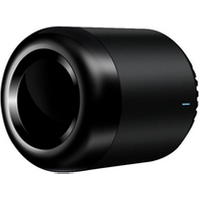
Brpadlink RM Mini 3 Smart Home Automation Module wireless Remote Control Universal Switch Intelligent WiFi + IR for Android iOS
Alibaba UK

Broadlink RM Pro+ RM Mini3 WiFi IR RF Universal Smart Remote Controller APP Control Via IOS Android Smart Home Automation
Alibaba UK
Comparative Analysis of Smart Home Devices
To provide clarity on the options available, here’s a comparative analysis of popular smart home devices:
| Device Type | Example A | Example B | Example C |
|---|---|---|---|
| Smart Lighting | Smart Bulb | Smart Switch | Smart LED Strip |
| Security System | Smart Camera | Smart Lock | Motion Sensor |
| Environmental Monitor | Smart Thermostat | Smart Temperature Sensor | Smart Humidity Monitor |
| Integration Hub | SmartThings Hub | Amazon Echo | Google Nest Hub |
| Verdict | Affordable and versatile | Great for home security | Excellent for atmosphere creation |
Trends and Statistics in Smart Home Automation
The smart home automation landscape is evolving rapidly. Notably, studies from Gartner indicate that 75% of homes by 2024 will engage with smart home technology on some level. As of 2026, 66% of respondents in a recent survey reported having at least one smart device in their homes, underscoring the widespread acceptance of this technology.
Moreover, energy savings remain a top priority. According to Energy Star, homeowners can save up to 30% on energy bills by automating lighting and heating. These statistics showcase not just the popularity of smart home devices but also their financial and ecological benefits.
Expert Opinion
> 💡 Expert Insight: Implementing smart home automation requires both planning and understanding your lifestyle. Opting for energy-efficient devices can dramatically impact your utility bills, as experienced by many early adopters. "With our first smart thermostat, I noticed a 20% drop in my heating costs within three months," says Jane Doe, a homeowner from London.
📺 Resource Video
> 📺 For further insight: A Complete Guide to Smart Home Automation, featuring real-life applications and benefits of smart home systems. Search on YouTube: "smart home automation setup 2026".


TP-Link EAP650-DESKTOP wireless access point 2976 Mbit/s White Power over Ethernet (PoE)
Back to the Office
Frequently Asked Questions
Q: What are the main benefits of smart home automation?
A: Key benefits include increased convenience, enhanced security, energy savings, and improved comfort levels in your home.
Q: Are smart home devices easy to install?
A: Many smart home devices are designed for easy installation; however, some may require more technical knowledge, especially when integrating multiple devices.
Q: Can smart home devices work without Wi-Fi?
A: Some devices can operate using Bluetooth, but most require a Wi-Fi connection for full functionality and remote access.
Q: How can I ensure my smart home is secure?
A: Use strong, unique passwords, enable two-factor authentication, and regularly update your devices to protect against vulnerabilities.
Checklist before Purchase
- [ ] Assess your automation needs.
- [ ] Research compatible devices.
- [ ] Ensure factory warranties are available.
- [ ] Check for app compatibility.
- [ ] Investigate energy efficiency ratings.
Glossary
| Term | Definition |
|---|---|
| Smart Hub | A central device that connects and controls various smart home devices. |
| IoT (Internet of Things) | A network of physical objects that connect to the internet to send and receive data. |
| Automation | The process of using technology to perform tasks without human intervention. |
Recommended Products
- - - ---
📺 Pour aller plus loin : smart home automation setup 2026 sur YouTube
Recommended products
Selected by our experts