Contents (16 sections)
What are Smart Home Automation Devices?
Smart home automation devices refer to a range of electronically controlled gadgets that connect to a central home network, allowing users to manage and automate various tasks within their residence. These devices can include everything from smart lights, thermostats, and security systems to appliances like refrigerators and coffee makers. The primary aim is to enhance convenience, improve energy efficiency, and bolster home security. According to a report by Statista in 2026, the global smart home market is expected to surpass £100 billion, reflecting a significant growth trend driven by consumer demand for enhanced control and connectivity in daily living.
The rise of smart home technology has also been propelled by advancements in IoT (Internet of Things) communication, allowing devices to interconnect seamlessly. This interconnectivity means that homeowners can control settings remotely through smartphone applications or through voice-activated assistants, making everyday tasks simpler and more efficient. Moreover, installation of smart devices can lead to cost savings through better energy management, positioning them as not only a luxury but also a viable means of reducing household expenses over time.
The Key Components of a Smart Home
Creating a smart home involves integrating various devices that work together to provide a cohesive ecosystem. Essential components include:
Smart Hubs
A smart hub acts as the central controller for your smart home ecosystem, coordinating communications between devices. Popular smart hubs like Amazon Echo or Google Nest allow users to control voice commands, enhancing convenience.
Smart Lighting
Smart lighting systems, such as smart bulbs, offer users the ability to control their lighting remotely. Features often include dimming capabilities, colour changes based on mood, and scheduling for automated on/off functionality.
Smart Thermostats
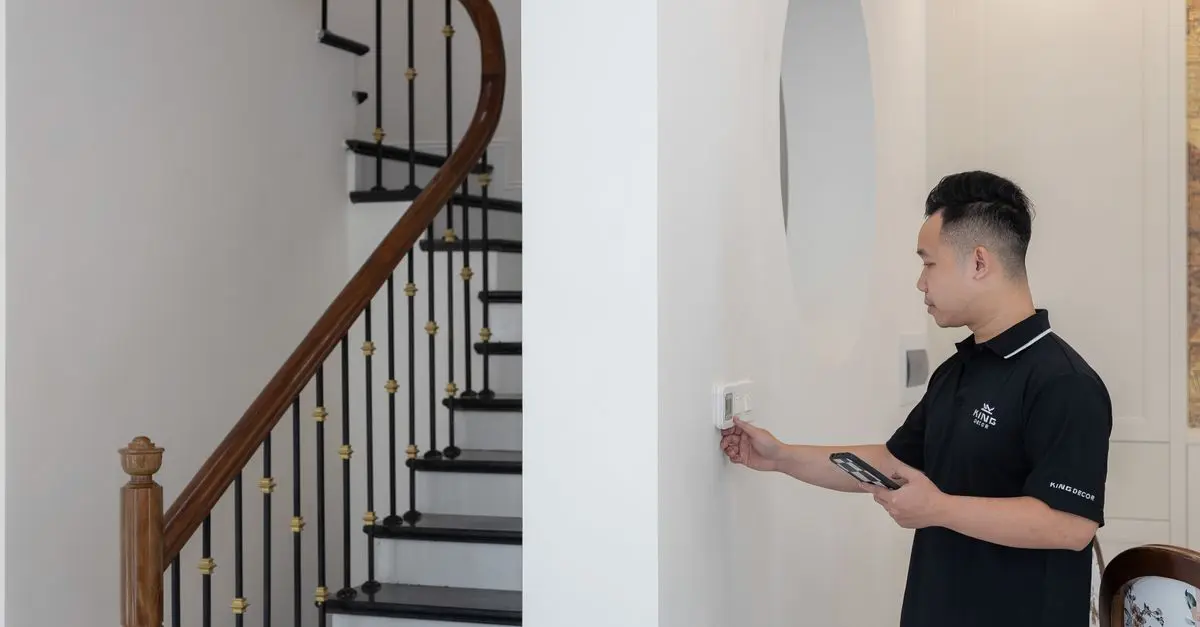
Devices like smart thermostats can learn the temperature preferences of homeowners over time, adjusting heating and cooling systems automatically. This not only provides comfort but also optimises energy usage, leading to reduced utility bills.
Smart Security Systems
Security is a pillar of smart home technology, with devices such as smart cameras and doorbells providing enhanced monitoring capabilities. These systems can send alerts and offer live feeds accessible from anywhere, granting homeowners peace of mind.
Smart Appliances
Key appliances like smart refrigerators track expiration dates, while smart ovens allow users to preheat remotely. These devices increase efficiency and can simplify meal preparation significantly.
Incorporating these components transforms a standard house into a fully functional smart home, providing convenience, security, and energy savings all in one package.


TP-Link EAP650-DESKTOP wireless access point 2976 Mbit/s White Power over Ethernet (PoE)
Back to the Office

How to Set Up Your Smart Home
Setting up a smart home involves several steps to ensure a smooth and effective installation. Here’s a straightforward process:
- Assess Your Needs: Begin by evaluating what aspects of your home require automation. Are you looking to enhance security, reduce energy consumption, or increase convenience?
- Choose Your Ecosystem: Decide on a primary smart hub for your home. This will dictate which devices are compatible with your system. Popular choices are Amazon Alexa and Google Assistant.
- Research Devices: Look into the various smart devices available on the market. Take note of compatibility, features offered, and read user reviews to make informed decisions.
- Purchase and Install: After choosing the right devices, proceed with purchasing and installing them. Most products come with installation guides, but online tutorials are also available.
- Connect Your Devices: Following installation, connect your gadgets to the smart hub using your Wi-Fi network. This permits them to communicate effectively.
- Create Routines: Once your devices are connected, you can set routines for automation—for instance, having lights turn on at sunset or the thermostat adjust based on time of day.
With these steps, transforming your living space into a smart home becomes both achievable and manageable.
Comparative Analysis of Smart Home Devices
To better understand the options available, the table below compares common types of smart home automation devices across several criteria:
| Device Type | Features | Compatibility | Cost Estimate |
|---|---|---|---|
| Smart Thermostat | Energy-saving, programmable | Google Home, Alexa | £90 - £250 |
| Smart Lights | Colour control, dimmable | All major hubs | £20 - £60 per bulb |
| Smart Security Cam | Motion detection, alerts | iOS, Android | £50 - £200 |
| Smart Speaker | Voice command, music streaming | All major platforms | £40 - £200 |
| Smart Appliances | Remote monitoring, energy tracking | Smart hubs | £200 - £800 |
The Future of Smart Home Technology
As technology advances, the future of smart home automation devices looks bright. Innovations such as 5G connectivity promise to enhance the efficiency and speed of communication between devices. In addition, emerging trends like AI-driven smart assistants may lead to much more personalised systems capable of adapting to user behaviour and preferences in real-time.
Moreover, the growing focus on sustainability means we can expect to see more smart home solutions tailored towards energy conservation and smart management. This green technology not only aligns with environmental goals but also assists homeowners in reducing their carbon footprints while enjoying the conveniences of modern living.
Expert Advice on Home Automation
> 💡 Expert Insight: As a smart home specialist, I understand that the key to a successful automation setup lies in choosing compatible devices that genuinely cater to your specific lifestyle and preferences. Always prioritise reviews and user experiences, as they can provide insights that transcends specifications and help ensure that your chosen products will truly meet your everyday needs.


Frequently Asked Questions
- What is a smart home automation device?
Smart home automation devices are gadgets that connect to your home network, allowing users to control them remotely for enhanced convenience, security, and energy efficiency.
- How do I start automating my home?
To start automating your home, assess your needs, choose a smart hub, research and select devices, and follow installation and setup procedures.
- Are smart home devices safe?
Generally, smart home devices can be safe; however, ensure you keep software updated and use strong passwords to mitigate risks.
- Can I integrate various brands of smart devices?
Yes, many brands offer compatibility, but it is advisable to check product specifications to ensure they work efficiently with your chosen hub.
Glossary
| Terme | Définition |
|---|---|
| Smart Hub | Central device that manages and connects various smart home devices. |
| IoT (Internet of Things) | Network of interconnected devices that communicate with each other over the internet. |
| Home Automation | Technological enhancement of home functions through automation devices for convenience. |
Checklist avant achat
- [ ] Évaluer les besoins d’automatisation
- [ ] Choisir un hub central compatible
- [ ] Rechercher les appareils disponibles
- [ ] Lire les avis d’utilisateurs
- [ ] Vérifier les options de sécurité
📺 Pour aller plus loin :* Smart Home Setup Guide 2026*, une analyse complète de comment automatiser votre maison. Recherchez sur YouTube : guide d'installation maison intelligente 2026.
Nous avons sélectionné plusieurs produits adaptés pour vous aider à débuter dans le monde de l'automatisation domestique. Découvrez nos recommandations ci-dessous.
📺 Pour aller plus loin : smart home setup guide 2026 sur YouTube
Recommended products
Selected by our experts
TP-Link EAP650-DESKTOP wireless access point 2976 Mbit/s White Power over Ethernet (PoE)
Back to the Office