Contents (10 sections)
Introduction
In an age where technology seamlessly integrates into our daily lives, smart home automation offers a unique opportunity to enhance comfort, efficiency, and security in our homes. This guide aims to walk you through five straightforward steps to design and implement your very own smart home automation system. Whether you’re a tech novice or a seasoned pro, this step-by-step tutorial provides insights on making your home smarter with actionable advice and practical recommendations.
Step 1: Assess Your Needs and Set Goals
Before diving into the world of smart home automation, it's crucial to assess your needs and establish clear goals. Are you looking to improve energy efficiency? Enhance security? Or perhaps, make daily tasks more convenient? Consider your lifestyle and the specific areas of your home that may benefit from automation.
For instance, if security is your primary concern, you might want to focus on integrating smart door locks and surveillance cameras. Alternatively, if energy efficiency tops your list, look into smart thermostats and smart lighting systems that adapt based on occupancy and usage patterns. Conducting a thorough needs assessment will not only define your project's scope but also help you avoid unnecessary purchases, ultimately saving you time and money.

Tuya WiFi switch smart home automation system for automatic gate opener
Alibaba UK
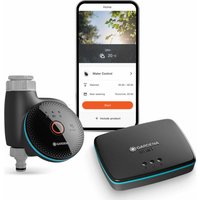
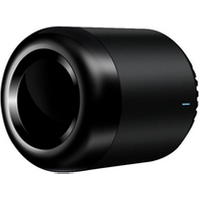
Brpadlink RM Mini 3 Smart Home Automation Module wireless Remote Control Universal Switch Intelligent WiFi + IR for Android iOS
Alibaba UK
Step 2: Choose the Right Hub and Connectivity Protocol
Once you have established your goals, it's time to select a smart home hub that aligns with your needs. A hub acts as the central control unit for your smart devices, facilitating communication between them. Some popular options include Zigbee, Z-Wave, and Wi-Fi based hubs. Each protocol has its strengths:
- Zigbee: Excellent for low power consumption but limited range.
- Z-Wave: Better for home automation due to its stability and extended range but typically requires specific devices.
- Wi-Fi: Easy to set up but can lead to network congestion.
Evaluate your home’s layout and consider factors like device compatibility and the number of devices you intend to use. Research suggests that using a multi-protocol hub can enhance scalability and flexibility, especially if you plan to expand your smart home ecosystem in the future.
Step 3: Select Your Smart Devices
With your hub in place, it’s time to choose the devices that will form the backbone of your smart home. Common categories include:
- Smart lighting (for energy efficiency and ambiance setting)
- Smart thermostats (for temperature control and savings on heating bills)
- Smart security systems (for peace of mind with video surveillance and smart locks)
Make a list of potential products that align with your goals. We have selected several products suited for your needs, and you can discover these recommendations below. When choosing devices, ensure they are compatible with your selected hub and check for user reviews to gauge reliability.
Step 4: Installation and Configuration
Once you’ve gathered your smart devices, installation begins. This step varies depending on the type of device, but here are some general guidelines:
- Always follow manufacturer instructions carefully to avoid issues.
- For devices requiring wiring, consider hiring a professional electrician if you're not confident in your abilities.
- Connect each device to your hub, ensuring they are within range for a stable connection.
Configuration is just as essential as installation. Many devices allow custom settings tailored to your preferences. For example, smart lighting can often be programmed for specific schedules, while smart thermostats can learn your temperature preferences over time. Personalisation enhances functionality and ensures your home operates efficiently.
Step 5: Integrate with Voice Assistants and Automate
After configuring your devices, consider integrating them with voice assistants like Amazon Alexa, Google Assistant, or Apple Siri. This integration enables hands-free control and enhances convenience. You can control lights, thermostats, and security systems using voice commands, making your home truly smart.
Lastly, explore automation routines that allow devices to interact with each other. For instance, you can set your lights to turn on when your smart lock is activated or schedule your thermostat to adjust temperatures before you arrive home. Automation not only amplifies comfort but can significantly reduce energy consumption, contributing to a more sustainable environment.
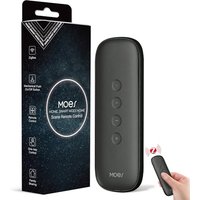
MOES Zigbee Smart Switch, 12 Scene Switches without Installation (MOES ZigBee Hub Required), One-Click Control for Tuya Devices, Zigbee Button Smart H
Amazon Sellers Programme (UK)

Broadlink RM Pro+ RM Mini3 WiFi IR RF Universal Smart Remote Controller APP Control Via IOS Android Smart Home Automation
Alibaba UK

MOES Scene Switch, ZigBee Wireless 12 Scene, Mechanical Push Button Battery Powered, Smart Home Automation Scenario Switch for Tuya Smart Devices, Req
Amazon Sellers Programme (UK)
Checklist before Purchase
- [ ] Assess your needs and define goals
- [ ] Choose a compatible smart hub
- [ ] Research and select devices
- [ ] Plan installation and configuration
- [ ] Integrate voice assistants and automate routines
📺 Ressource Vidéo
📺 Pour aller plus loin : Découvrez comment configurer votre système d'automatisation domestique, une analyse complète de la domotique. Recherchez sur YouTube : comment créer un système d'automatisation domestique 2026.
Glossaire
| Terme | Définition |
|---|
| Smart Home | Un domicile équipé de dispositifs connectés pouvant être contrôlés à distance.
| Hub | Un appareil central qui relie et contrôle divers appareils intelligents.
| Automatisation | Processus de rendre des tâches quotidiennes autonomes grâce à la technologie.
📺 Pour aller plus loin : how to set up a smart home automation system 2026 sur YouTube
Recommended products
Selected by our experts


MOES Scene Switch, ZigBee Wireless 12 Scene, Mechanical Push Button Battery Powered, Smart Home Automation Scenario Switch for Tuya Smart Devices, Req
Amazon Sellers Programme (UK)


MOES Scene Switch, ZigBee Wireless 12 Scene, Mechanical Push Button Battery Powered, Smart Home Automation Scenario Switch for Tuya Smart Devices, Req
Amazon Sellers Programme (UK)


MOES Scene Switch, ZigBee Wireless 12 Scene, Mechanical Push Button Battery Powered, Smart Home Automation Scenario Switch for Tuya Smart Devices, Req
Amazon Sellers Programme (UK)