Contents (11 sections)
Creating a seamless smart home experience is more than just purchasing gadgets; it involves understanding how to integrate them effectively. This guide provides a comprehensive approach to ensure your smart devices work harmoniously together.
Understanding Smart Home Integration
A smart home integrates devices and appliances into a single network, allowing them to communicate and be controlled from any location. According to a recent report by Statista, the smart home market is expected to grow significantly, with an estimated value of £174 billion by 2026. The benefits include enhanced security, energy efficiency, and convenience in your daily routines. For instance, an automated home can save energy and enhance your lifestyle by adjusting heating or lighting based on your habits.


Step 1: Assess Your Needs
Before diving into the world of smart home devices, it’s vital to assess your needs. Consider what areas of your home you wish to automate—this could involve lighting, security, or even climate control. You might also want to identify specific tasks you need help with, such as managing the thermostat or securing your home with smart locks. Creating a list of priorities can help you determine which devices are essential for your lifestyle. For example, those often away from home may prioritise security devices like cameras and motion sensors. Additionally, consider your home layout—will all areas have adequate Wi-Fi coverage for smart devices?
Step 2: Choose the Right Ecosystem
Choosing the right smart home ecosystem is crucial. Ecosystems like Google Home, Amazon Alexa, and Apple HomeKit are popular choices, but they each have unique features. For instance, Google Home is known for its integration with a broad range of devices and excellent voice recognition. Meanwhile, Apple HomeKit may be ideal for those already invested in Apple products. Your choice should consider compatibility with existing devices, ease of use, and the device functionalities that best suit your lifestyle. Research user experiences to find the best direct comparisons of these systems.
Step 3: Device Compatibility
Compatibility is a key element to creating a seamless smart home experience. Devices should ideally work within the same ecosystem to minimise issues. For example, lights, thermostats, and security cameras from different manufacturers can sometimes conflict, leading to frustrated users. Always check the specifications before purchasing; look for compatible labels or user reviews that confirm integration success. According to an analysis by UFC-Que Choisir, over 30% of smart device users encounter compatibility issues, which can often be avoided with careful planning.
Step 4: Central Control Hub
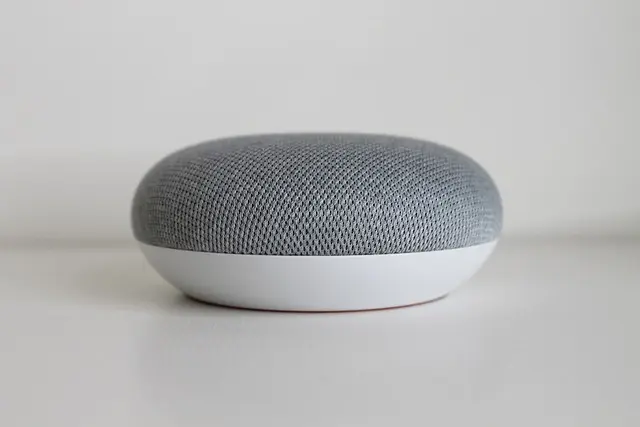
A central control hub is essential to managing your smart home effectively. This hub, whether a dedicated device or an app, allows you to control all your devices from one interface. Popular hubs like Samsung SmartThings not only allow device management but also support automation and various third-party integrations. Setting up a hub might require some initial configuration, but it’ll considerably simplify your smart home management in the long run. Avoid the common mistake of forgoing a hub, as this can lead to a fragmented system that is difficult to control.

Lenovo V14 G4 ABP AMD Ryzen 5 7430U Laptop 14" 8GB RAM 512 GB SSD Windows 11 Home Laptop
box.co.uk


Step 5: Automate Your Tasks
Automation is one of the most significant perks of a smart home. Set schedules for lights to turn on and off, adjust the thermostat based on daily routines, or trigger your security system when you leave the house. According to research by Future Market Insights, households utilising automation experienced a 25% increase in energy efficiency. For seamless integration, explore device features thoroughly, as many devices offer options to create routines. Don’t forget to update your settings regularly to accommodate any changes in your schedule or lifestyle.
Checklist for a Seamless Smart Home Experience
- [ ] Assess your home’s needs for smart devices.
- [ ] Choose a suitable smart home ecosystem.
- [ ] Verify device compatibility before purchase.
- [ ] Set up a central control hub for seamless management.
- [ ] Automate tasks for increased energy efficiency.
- [ ] Regularly review and update your system settings.
FAQs
- What is a smart home?
A smart home uses technology to enable remote management and automation of systems like lighting, climate, and security.
- How do I ensure device compatibility?
Check manufacturer specifications and user reviews; consider devices that are certified to work in your chosen smart home ecosystem.
- Can I use devices from different brands?
Yes, as long as they are compatible within the same ecosystem, but it may involve caveats.
- What’s the benefit of using a central control hub?
A control hub streamlines management and enhances automation capabilities across your smart devices.
Glossary
| Terme | Définition |
|---|---|
| Smart Home | Un domicile avec des appareils connectés qui peuvent être automatisés et contrôlés à distance. |
| Ecosystème | Un réseau de dispositifs connectés qui fonctionnent ensemble via une interface commune. |
| Contrôle Central | Un appareil ou logiciel qui gère plusieurs dispositifs à partir d'une seule interface. |
> 💡 Avis d'expert : Pour maximiser l’efficacité de votre maison intelligente, investissez dans des appareils compatibles et évitez les modèles hors réseau qui risquent de vous frustrer à long terme.
📺 Pour aller plus loin : Explore how to effectively manage your smart home, a complete guide to operating your home automation effectively. Search YouTube for:
smart home integration tips 2026.
📺 Pour aller plus loin : smart home integration tips 2026 sur YouTube
Recommended products
Selected by our experts